Last week, Apple began shipping the much hyped iPad, the sexy-looking, wafer-thin tabloid computer that Steve Jobs himself has called “the most important thing” he has ever done. While some detractors scoff that it’s nothing more than a larger version of the popular iPod Touch handheld device, the overwhelming sentiment of most people who have seen it is along the lines of “If I promise you my first born, will you let me leap to the front of the line?” Before the device was even on store shelves, Apple had already received a quarter million pre-orders. Some analysts forecast they could sell 5 million units in the first year, making it the most successful new product launch in history.
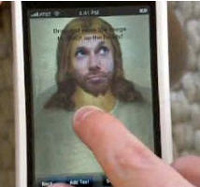
The evangelical fervor is bordering on hysteria. Some techno geeks who have never had a date in their lives are already calling it the greatest invention since Gutenberg printed the first Bible some 600 years ago. Others are simply calling it the Jesus Tablet, because of the almost mystic, spiritual aura surrounding this seeming “holy grail” of computer gadgetry. If that’s not enough of a Biblical connection, why is it that the Bible even has an entire book named after Apple’s founder, the Book ofJobs? At the risk of comparing apples to oracles, this leads me to ask the obvious theological-technological question: Which is better, Jesus or the new “Jesus Tablet”, the iPad?
I was tweeting the other day – you know, on Twitter…. What, you are not familiar with Twitter? How about Facebook? No? Does “the Internet” ring a bell? Okay, in case you’re still living in that cave in Northern Afghanistan (or are my elderly mother) and you’re still not familiar with Twitter, it’s this web site where you can tell the world what you’re doing – so long as you can do it in 140 characters or less. But, and this is key, your message must be of interest to absolutely NOBODY but yourself.
It is such an incredible improvement over previous ways of communicating online. Instead of having to pound out long, detailed emails, now you can post easy-to-skim “tweets” as Twitter posts are called. Oh sure, some people say that most tweets are just a complete narcissistic waste of time. But I could not disagree more. Heck, just this morning, I learned the following very timely and helpful information at my Twitter home page from some fascinating people, a couple of whom I think I might have actually heard of:
For ages friends have told me that I should start writing. Other than the occasional annual holiday letter or a surprise 50th birthday tribute, I admit I’ve not done nearly as much writing as I know I should. So after years and years of annoying, relentless, “you’ll regret not having ever done this when you look back on your life” pain-in-the-ass nagging (author’s note to self: Be sure to change the preceding to “supportive encouragement”before you publish – Do NOT forget!) from my wife, I decided to finally try my hand at blogging.
And all I have to say is what took me so long!! This blogging thing is a SNAP. You do not need to have five years of html programming experience or be an expert in RSS feeds, tagging, and php. And you don’t need to know about plug-ins, widgets or feed burners. You don’t need to understand the meaning of .css style sheets or header-footer dpi upload specifications. You don’t need to know ANY of that stuff -unless you want to have a blog site, that is. Then, yeah, it’s a pretty good idea to know what some of this stuff actually means.
And boy was it simple, too. Just for a chuckle, how quickly can you spot the obvious error in this html code sequence below?
Well if you guessed that the # symbol in the sequence <?php bloginfo(‘description’); #> should have been a “?” instead, you would have been absolutely right. It’s just that simple. Why was I so afraid? Beats me. It only took me 78 futile attempts on my own along with 15 phone calls to the web hosting support help desk (they were starting to know me by first name) to figure out how to upload my new home page header image in place of the lovely “Suzy Sunshine” sunflowers clip art that came with the page template. And here is the secret: beg, whine and plead to have the tech support person do it for you.
Well, before my baptism by html experience creating a blog site, I could not tell you the difference between a PHP code tag and an html tag, or the difference between a pingback and a trackback. Oh, don’t get me wrong, I still can’t tell the difference, but at least I now know how to spell them.
So, after just 17 hours of trying in vain to figure out what I was doing, I think I have a vague clue of how to set up a blog site and add new posts. And I did this all without bringing down a single computer network to its knees nor throwing any of our cats out the window in utter frustration.
I guess what I am saying is this: If you don’t have enough pound-your-fist-through-the-wall frustration in your life, and if your self-confidence about your computer literacy is higher than you feel it truly should be, I encourage you to create a blog site. Creating a blog site is as easy as counting to ten…. if you were a Labrador Retriever, that is.
That’s the view from the bleachers. Perhaps I’m off base.

 Last week, Apple began shipping the much hyped iPad, the sexy-looking, wafer-thin tabloid computer that Steve Jobs himself has called “the most important thing” he has ever done. While some detractors scoff that it’s nothing more than a larger version of the popular iPod Touch handheld device, the overwhelming sentiment of most people who have seen it is along the lines of “If I promise you my first born, will you let me leap to the front of the line?” Before the device was even on store shelves, Apple had already received a quarter million pre-orders. Some analysts forecast they could sell 5 million units in the first year, making it the most successful new product launch in history.


 For ages friends have told me that I should start writing. Other than the occasional annual holiday letter or a surprise 50th birthday tribute, I admit I’ve not done nearly as much writing as I know I should. So after years and years of annoying, relentless, “you’ll regret not having ever done this when you look back on your life” pain-in-the-ass nagging (author’s note to self: Be sure to change the preceding to “supportive encouragement” before you publish – Do NOT forget!) from my wife, I decided to finally try my hand at blogging.